1980s AI Photo Trend: ChatGPT का नया ट्रेंड हो रहा वायरल, एक फोटो डालिए और पहुंच जाइए 1980s में! आजमाइए ये 5 AI Prompts
1980s AI Photo Trend: AI की मदद से फोटो एडिट करने का ट्रेंड इन दिनों तेजी से लोकप्रिय हो रहा है। लोग अपनी सामान्य तस्वीरों को अलग-अलग दौर और स्टाइल में बदलने के लिए AI टूल्स का इस्तेमाल कर रहे हैं। इनमें 1980s Retro Photo Trend खास तौर पर लोगों का ध्यान खींच रहा है।
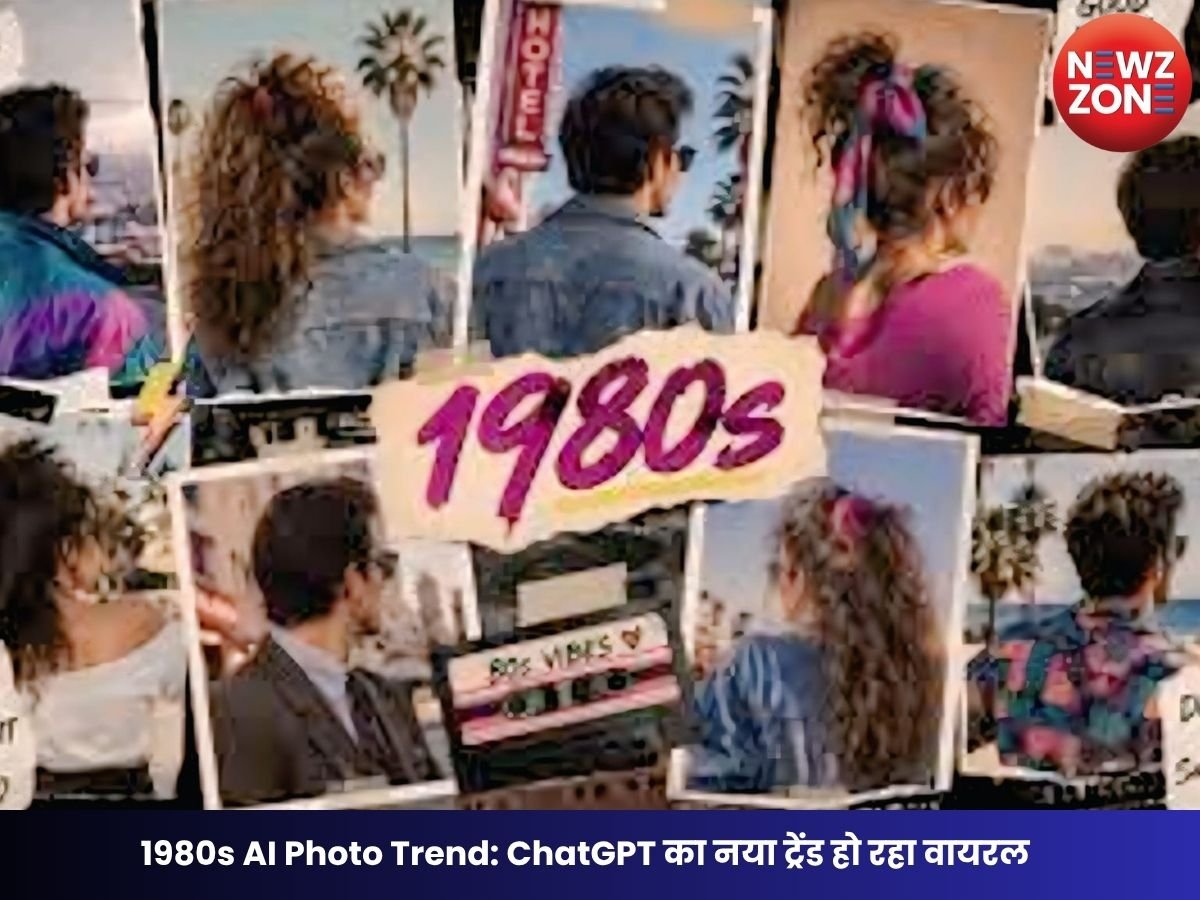
इस ट्रेंड में लोग अपनी मौजूदा फोटो को AI की मदद से 1980 के दशक के फैशन, कैमरा क्वालिटी, हेयरस्टाइल, कलर टोन और बैकग्राउंड वाले रेट्रो लुक में बदल रहे हैं।
1980s का रेट्रो लुक क्यों हो रहा पसंद?
1980 का दशक अपने खास फैशन, बड़े हेयरस्टाइल, चटक रंगों और फिल्म कैमरा लुक के लिए जाना जाता है। यही वजह है कि सोशल मीडिया पर लोग अपनी आज की तस्वीरों को 1980s के दौर की पुरानी तस्वीरों जैसा बनाने की कोशिश कर रहे हैं। AI की खासियत यह है कि यह सिर्फ फोटो पर विंटेज फिल्टर लगाने के बजाय कपड़ों, हेयरस्टाइल, बैकग्राउंड, लाइटिंग और कलर टोन को भी बदल सकता है।
AI से कैसे बनाएं 1980s जैसी फोटो?
इसके लिए किसी ऐसे AI फोटो एडिटिंग टूल का इस्तेमाल किया जा सकता है, जिसमें image-to-image editing या फोटो एडिटिंग की सुविधा हो। अपनी फोटो अपलोड करने के बाद नीचे दिए गए prompts में से कोई एक इस्तेमाल करें। बेहतर रिजल्ट के लिए prompt में व्यक्ति की पहचान और चेहरे की मुख्य विशेषताओं को बरकरार रखने की बात जरूर लिखें।
यह भी पढ़ें: Swine Flu in Chhattisgarh: प्रदेश में मिले स्वाइन फ्लू के 46 नए मरीज
1980s AI Photo Trend के लिए 5 वायरल Prompts
Prompt 1: Classic 1980s Portrait
“Transform this photo into an authentic 1980s portrait. Keep the person’s face, identity and facial features unchanged. Add classic 1980s fashion, voluminous hairstyle, warm studio lighting, analog film grain, slightly faded colors and a vintage film camera aesthetic. Make it look like a real photograph taken in the 1980s.”
Prompt 2: 1980s Bollywood Style
“Turn this photo into a glamorous 1980s Bollywood-style portrait. Keep the person’s face and identity exactly the same. Add authentic 1980s Indian fashion, retro hairstyle, dramatic studio lighting, vintage film colors, subtle film grain and an old Bollywood photoshoot atmosphere.”
Prompt 3: 1980s Family Photo
“Convert this image into a realistic 1980s family photograph. Preserve everyone’s original facial identity and expressions. Add period-accurate clothing, retro hairstyles, an old-fashioned indoor background, warm lighting, analog camera texture, natural film grain and slightly faded colors.”
Prompt 4: 1980s Street Style
“Reimagine this photo as an authentic 1980s street photograph. Keep the person’s face and identity unchanged. Add 1980s casual fashion, retro hairstyle, vintage vehicles and period-accurate surroundings. Use natural daylight, analog film grain, muted vintage colors and realistic 35mm film photography.”
Prompt 5: Vintage 1980s Wedding Look
“Transform this photo into a realistic 1980s wedding photograph. Preserve the person’s exact facial identity and natural expression. Add authentic 1980s Indian wedding clothing, traditional styling, retro hairstyle, vintage decorations, warm flash photography, analog film grain and slightly faded colors. Make it look like a genuine photograph from the 1980s.”
AI फोटो को ज्यादा Realistic बनाने के लिए इन बातों का रखें ध्यान
अगर आप AI से ज्यादा authentic 1980s look चाहते हैं तो prompt में सिर्फ “vintage” या “retro” लिखना पर्याप्त नहीं है। इसमें 1980s fashion, analog film grain, 35mm photography, period-accurate background, warm flash, faded colors और retro hairstyle जैसे शब्द शामिल करने से रिजल्ट ज्यादा स्पष्ट हो सकता है।
साथ ही, अगर आप चाहते हैं कि फोटो में व्यक्ति की पहचान न बदले, तो prompt में “preserve facial identity” और “keep facial features unchanged” जैसी instructions शामिल करें।
सिर्फ फिल्टर नहीं, पूरा बदल सकता है AI
पुराने फोटो इफेक्ट में आमतौर पर सिर्फ कलर और टेक्सचर बदला जाता है। लेकिन AI आधारित एडिटिंग में फोटो के कई विजुअल एलिमेंट्स को एक साथ बदला जा सकता है। यही वजह है कि 1980s AI Photo Trend लोगों को ज्यादा आकर्षित कर रहा है। हालांकि AI-generated तस्वीरों में कभी-कभी चेहरे, हाथ, कपड़ों या बैकग्राउंड में अनचाहे बदलाव आ सकते हैं। इसलिए बेहतर रिजल्ट के लिए स्पष्ट prompt और अच्छी क्वालिटी वाली original photo का इस्तेमाल करना बेहतर रहता है।